
Features
Everything a season needs, in one place
MojPorat follows the spreadsheet private hosts already use — except it does the maths, works on a phone and cannot be deleted by accident.
Occupancy calendar
The whole season, unit by unit, on one screen and colour-coded at a glance.
- Monthly occupancy heatmap for every unit
- Double-booking warnings before they become a problem
- Arrivals, departures and same-day changeovers marked apart
- Busy and past days cannot be booked by mistake
Rates and deposits
Set your seasons once and every stay prices itself, tax and deposit included.
- Seasonal rates per unit and per night
- Tourist tax calculated per person per night
- Deposits as a percentage or a fixed amount, with payment tracking
- A price breakdown the guest sees before sending a request
Channels: Airbnb, Booking.com and more
Calendars that keep themselves in step, with a clear read on sync health.
- Two-way calendar exchange with the major portals
- Mapping editor linking your units to portal listings
- Sync health bar showing the last successful update
- Booking conflicts resolved in two clicks
eVisitor and guest registration
Guest details are entered once and ready for the stay to be registered.
- eVisitor credential check before the season starts
- Guest list per stay with the fields registration needs
- Night counts kept for the tourist tax return
- A link guests can use to fill in their own details
Direct bookings
Your own booking page and an embeddable widget — no portal commission.
- A public page per property in Croatian, English and German
- A widget that drops into your existing website
- Requests land in one list, with draft replies ready
- Visitor tracking through GA4, GTM or the Meta pixel
Team, reports and mobile
Share access with family and cleaners, and hand your accountant a finished report.
- Roles per property: owner, manager, cleaner
- Season income summary as PDF and spreadsheet
- Works offline and sends reminders to your phone
- Export all of your data at any time
This is what it looks like
Screens from the product itself — the same ones you open after signing in.
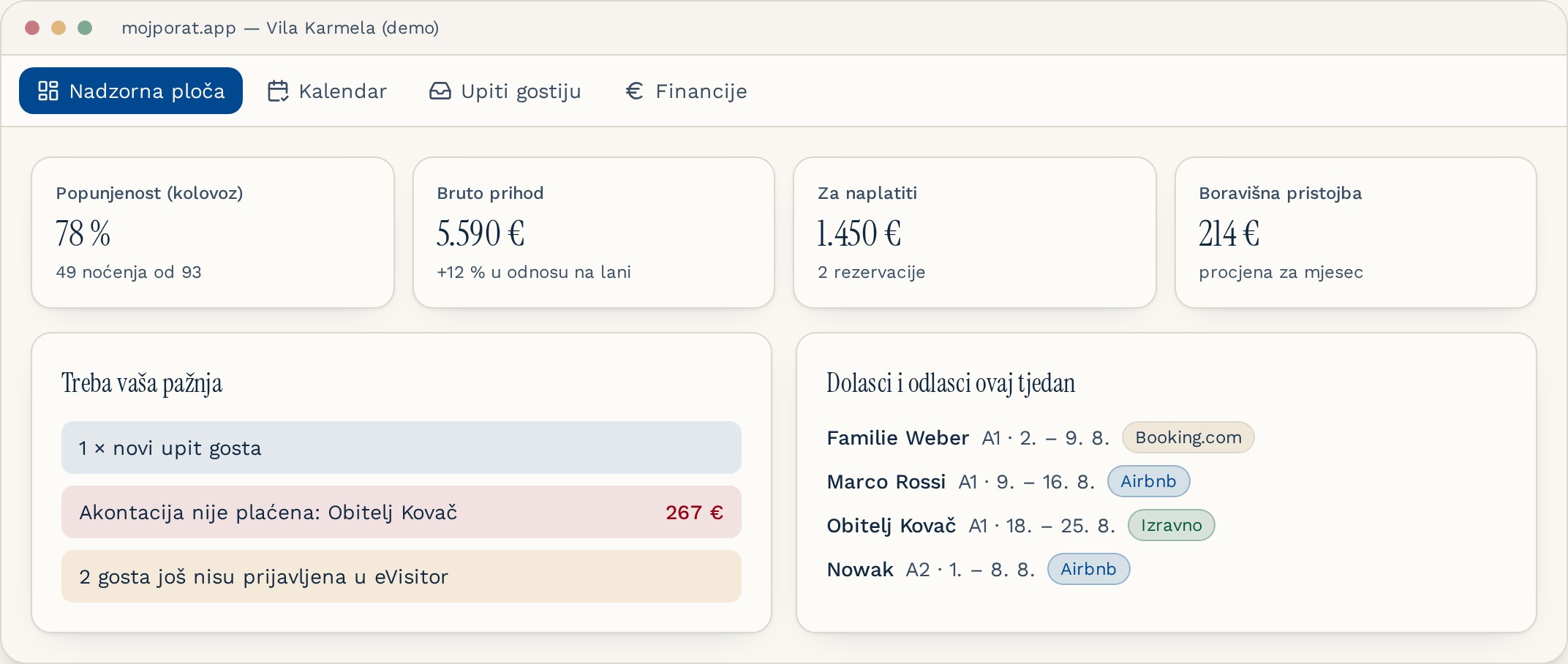
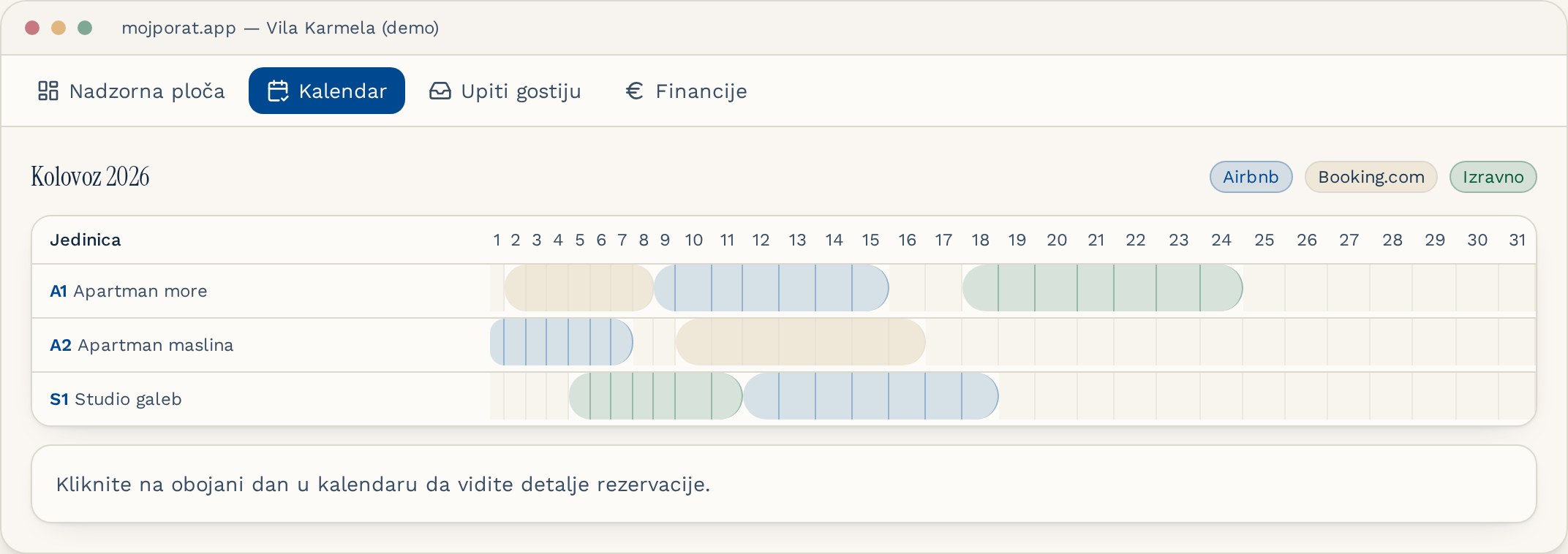
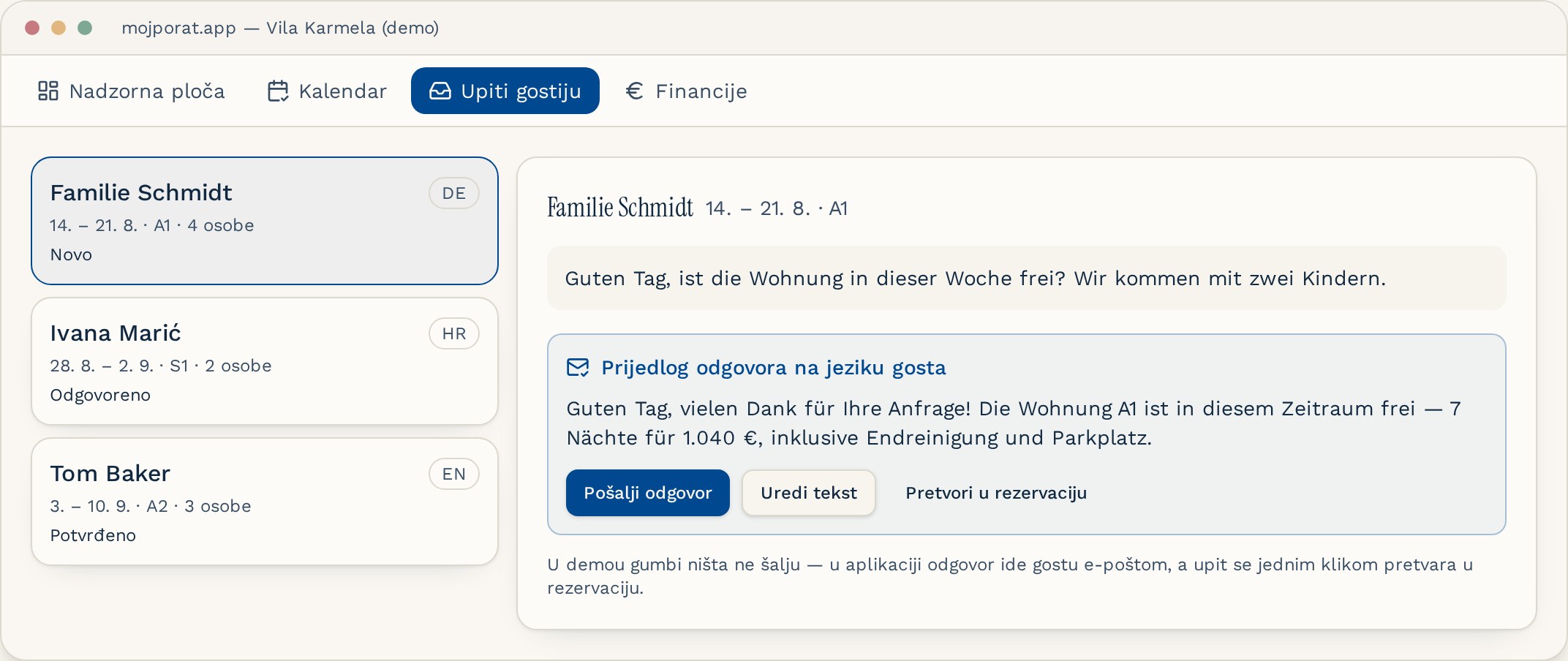
The data in these screenshots is fictional and shown for illustration only.